Cobbler自动化部署
cobbler简介
Cobbler 可以用来快速建立 Linux 网络安装环境,它已将Linux网络安装的技术门槛降低到连补鞋匠都能学会。
网络安装服务器套件Cobbler(补鞋匠)从前,我们一直在装机民工这份很有前途的职业。自打若干年前Red Hat推出了 Kickstart,此后我们顿觉身价增倍。不再需要刻了光盘一台一台的安装Linux,只要搞定PXE、DHCP、TFTP,还有那满屏眼花缭乱不知所云的Kickstart脚本,我们就可以像哈利波特一样,轻点魔棒,瞬间安装上百台服务器。这一堆花里胡哨的东西可不是一般人能够整明白的,没有大专以上的学历,通不过英语四级,根本别想玩转。总而言之,这是一份多么有前途,多么有技术含量的工作啊。很不幸,Red Hat 最新(Cobbler项目最初在2008年左右发布)发布了网络安装服务器套件Cobbler(补鞋匠),它已将Linux网络安装的技术门槛,从大专以上文化水平,成功降低到初中以下水平,连补鞋匠都能学会。
1、Cobbler是一个Linux服务器安装的服务,可以通过网络启动(PXE)的方式来快速安装、重装物理服务器和虚拟机,同时还可以管理DHCP,DNS等。
2、Cobbler可以使用命令行方式管理,也提供了基于Web的界面管理工具(cobbler-web),还提供了API接口,可以方便二次开发使用。
3、Cobbler是较早前的kickstart的升级版,优点是比较容易配置,还自带web界面比较易于管理。
4、Cobbler内置了一个轻量级配置管理系统,但它也支持和其它配置管理系统集成,如Puppet。
cobbler集成的服务
- PXE服务支持
- DHCP服务管理
- DNS服务管理
- 电源管理
- Kickstart服务支持
- YUM仓库管理
- TFTP
- Apache
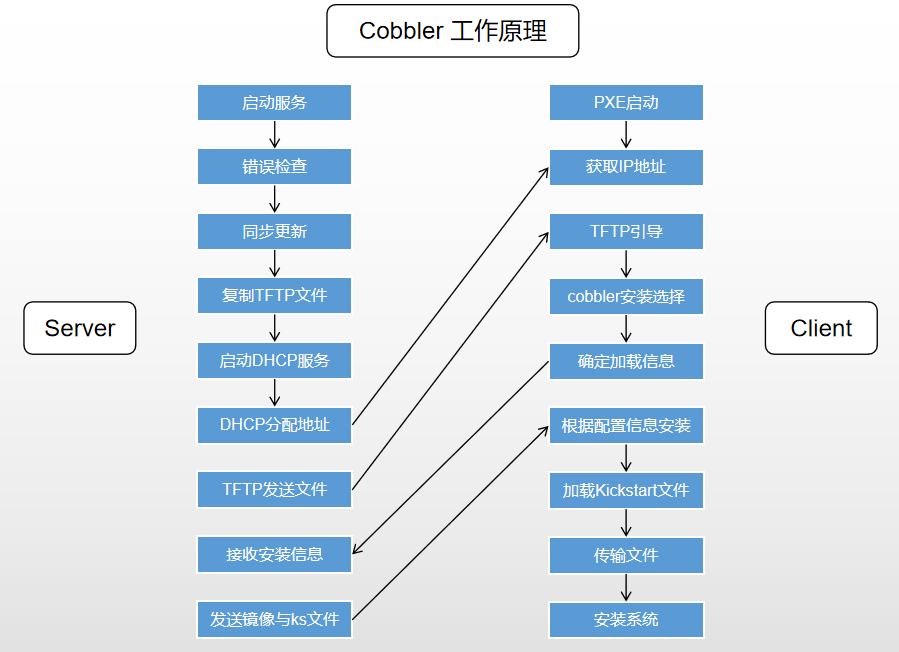
cobbler工作原理
**
**
**
**
Server端
* 启动Cobbler服务
* 进行Cobbler错误检查,执行cobbler check命令
* 进行配置同步,执行cobbler sync命令
* 复制相关启动文件到TFTP目录中
* 启动DHCP服务,提供地址分配
* DHCP服务分配IP地址
* TFTP传输启动文件
* Server端接收安装信息
* Server端发送ISO镜像与Kickstart文件
Client端
* 客户端以PXE模式启动
* 客户端获取IP地址
* 通过TFTP服务器获取启动文件
* 进入Cobbler安装选择界面
* 根据配置信息准备安装系统
* 加载Kickstart文件
* 传输系统安装的其它文件
* 进行安装系统
cobbler安装
说明:虚拟机网卡采用NAT模式或者仅主机模式,不要使用桥接模式,因为后面会搭建DHCP服务器,在同一个局域网多个DHCP服务会有冲突。
VMware的NAT模式的dhcp服务也关闭,避免干扰。
首先,安装cobbler
[root@cobbler ~]#yum -y install epel-release[root@cobbler ~]#yum -y install cobbler cobbler-web tftp-server dhcp httpd xinetd[root@cobbler ~]#systemctl start httpd cobblerd[root@cobbler ~]#systemctl enable httpd cobblerd
查看生成的文件及文件说明
[root@cobbler ~]# rpm -ql cobbler
/etc/cobbler                  # 配置文件目录
/etc/cobbler/settings         # cobbler主配置文件,这个文件是YAML格式,Cobbler是python写的程序。
/etc/cobbler/dhcp.template    # DHCP服务的配置模板
/etc/cobbler/tftpd.template   # tftp服务的配置模板
/etc/cobbler/rsync.template   # rsync服务的配置模板
/etc/cobbler/iso              # iso模板配置文件目录
/etc/cobbler/pxe              # pxe模板文件目录
/etc/cobbler/power            # 电源的配置文件目录
/etc/cobbler/users.conf       # Web服务授权配置文件
/etc/cobbler/users.digest     # 用于web访问的用户名密码配置文件
/etc/cobbler/dnsmasq.template # DNS服务的配置模板
/etc/cobbler/modules.conf     # Cobbler模块配置文件
/var/lib/cobbler              # Cobbler数据目录
/var/lib/cobbler/config       # 配置文件
/var/lib/cobbler/kickstarts   # 默认存放kickstart文件
/var/lib/cobbler/loaders      # 存放的各种引导程序
/var/www/cobbler              # 系统安装镜像目录
/var/www/cobbler/ks_mirror    # 导入的系统镜像列表
/var/www/cobbler/images       # 导入的系统镜像启动文件
/var/www/cobbler/repo_mirror  # yum源存储目录
/var/log/cobbler              # 日志目录
/var/log/cobbler/install.log  # 客户端系统安装日志
/var/log/cobbler/cobbler.log  # cobbler日志
检查cobbler的问题
**
[root@cobbler ~]# cobbler check
The following are potential configuration items that you may want to fix:
**
1 : The ‘server’ field in /etc/cobbler/settings must be set to something other than localhost, or kickstarting features will not work. This should be a resolvable hostname or IP for the boot server as reachable by all machines that will use it.
2 : For PXE to be functional, the ‘next_server’ field in /etc/cobbler/settings must be set to something other than 127.0.0.1, and should match the IP of the boot server on the PXE network.
3 : change ‘disable’ to ‘no’ in /etc/xinetd.d/tftp
4 : Some network boot-loaders are missing from /var/lib/cobbler/loaders, you may run ‘cobbler get-loaders’ to download them, or, if you only want to handle x86/x86_64 netbooting, you may ensure that you have installed a recent version of the syslinux package installed and can ignore this message entirely. Files in this directory, should you want to support all architectures, should include pxelinux.0, menu.c32, elilo.efi, and yaboot. The ‘cobbler get-loaders’ command is the easiest way to resolve these requirements.
5 : enable and start rsyncd.service with systemctl
6 : debmirror package is not installed, it will be required to manage debian deployments and repositories
7 : ksvalidator was not found, install pykickstart
8 : The default password used by the sample templates for newly installed machines (default_password_crypted in /etc/cobbler/settings) is still set to ‘cobbler’ and should be changed, try: “openssl passwd -1 -salt ‘random-phrase-here’ ‘your-password-here’” to generate new one
9 : fencing tools were not found, and are required to use the (optional) power management features. install cman or fence-agents to use them
**
Restart cobblerd and then run ‘cobbler sync’ to apply changes.
**
**
**
上述问题我们可以一个个的解决 ,先设置为可以动态配置,也可以直接更改配置文件
**
[root@cobbler ~]# cd /etc/cobbler/
[root@cobbler cobbler]# vi settings
[root@cobbler cobbler]# grep allow_dynamic_settings settings
allow_dynamic_settings: 1
**
[root@hd3 cobbler]# systemctl restart cobblerd
**
**
**
逐个解决上面的问题
**
1. server
[root@cobbler ~]# cobbler setting edit —name=server —value=192.168.1.13
**
**
2. next_server
[root@cobbler ~]# cobbler setting edit —name=next_server —value=192.168.1.13
**
**
3. tftp_server
[root@cobbler ~]# sed -ri ‘/disable/c\disable = no’ /etc/xinetd.d/tftp
[root@cobbler ~]# systemctl enable xinetd
[root@cobbler ~]# systemctl restart xinetd
**
4. fencing tools [optional]
[root@cobbler ~]# yum -y install fence-agents
**
5. pykickstart(注意:先安装pykickstart 再安装boot-loaders)
[root@cobbler ~]# yum -y install pykickstart
**
6. boot-loaders
[root@cobbler ~]# cobbler get-loaders
**
**
7. rsyncd
[root@cobbler ~]# systemctl start rsyncd
[root@cobbler ~]# systemctl enable rsyncd
**
**
8. default_password_crypted #注意:这里设置的密码,也就是后面安装完系统的初始化登录密码
[root@cobbler ~]# openssl passwd -1 -salt openssl rand -hex 4 ‘admin’
$1$675f1d08$oJoAMVxdbdKHjQXbGqNTX0
[root@cobbler ~]# cobbler setting edit —name=default_password_crypted —value=’$1$675f1d08$oJoAMVxdbdKHjQXbGqNTX0’
**
#openssl passwd的作用是用来计算密码hash的,目的是为了防止密码以明文的形式出现。
#语法格式:
#openssl passwd [options] [password]
#* 1.
#openssl passwd常用的选项如下:
#-1:表示采用的是MD5加密算法。
#-in:表示和文件中读取密码
#-stdin:从标准输入读取密码
#-salt:指定salt值,不实用随机产生的salt。在使用加密算法进行加密时,即使密码一样,salt不一样,所计算出来的hash值也不一样,除非密码一样,salt值也一样,#计算出来的hash值才一样。salt为8字节的字符串。
**
**
**
解决完成再次查看
**
[root@cobbler ~]# cobbler check
The following are potential configuration items that you may want to fix:
**
1 : debmirror package is not installed, it will be required to manage debian deployments and repositories
**
Restart cobblerd and then run ‘cobbler sync’ to apply changes.
**
配置dhcp服务
**
[root@cobbler ~]# cobbler setting edit —name=manage_dhcp —value=1
**
**
# 修改cobbler的dhcp模块,不要直接修改dhcp本身的配置文件,因为cobbler会覆盖
[root@cobbler ~]# vim /etc/cobbler/dhcp.template
subnet 192.168.2.0 netmask 255.255.255.0 { #这里改为分配的网段和掩码
option routers 192.168.1.2; #如果有网关,这里改为网关地址
option domain-name-servers 192.168.1.2; #如果有DNS,这里改为DNS地址
option subnet-mask 255.255.255.0; #改为分配的IP的掩码
range dynamic-bootp 192.168.1.120 192.168.1.130; #改为分配的IP的范围
**
同步cobbler配置(同步cobbler配置,它会根据配置自动修改dhcp等服务)
**
**
[root@cobbler ~]# cobbler sync
task started: 2019-06-12_152623_sync
task started (id=Sync, time=Wed Jun 12 15:26:23 2019)
running pre-sync triggers
cleaning trees
* TASK COMPLETE *
**
**
**
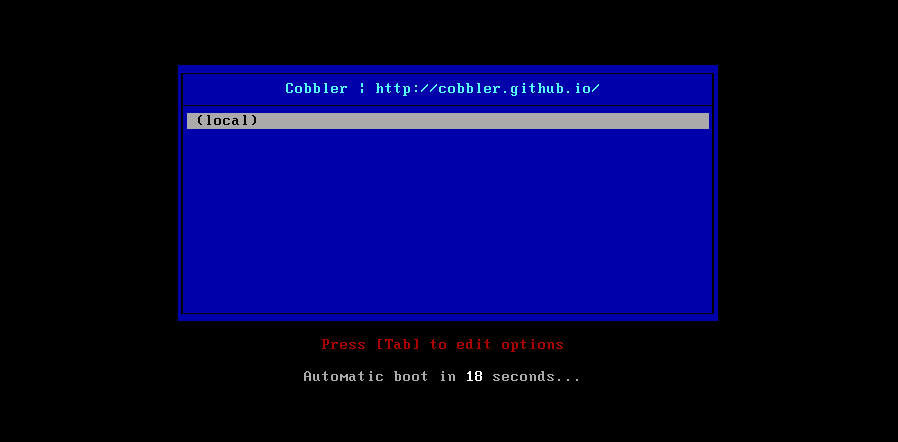
这时候创建一个新虚拟机可以获取到如下信息,没有镜像选择,只能从本地启动
**
**
将安装光盘导入,此处以centos7安装光盘为例
**
[root@cobbler ~]# mount /dev/sr0 /media/cdrom
[root@cobbler ~]# cobbler import —path=/media/cdrom —name=Centos-7.5-x86_64 —arch=x86_64
Keeping repodata as-is :/var/www/cobbler/ks_mirror/Centos-7.5-x86_64/repodata
* TASK COMPLETE *
[root@cobbler ~]#cobbler sync
**
# —path 镜像路径
# —name 为安装源定义一个名字
# —arch 指定安装源是32位、64位、ia64, 目前支持的选项有: x86│x86_64│ia64
# 安装源的唯一标示就是根据name参数来定义,本例导入成功后,安装源的唯一标示就是:centos7.5,如果重复,系统会提示导入失败。
**
**
查看版本和菜单
**
[root@cobbler ~]# cobbler distro list #查看发行版本号
[root@cobbler ~]# cobbler profile list #查看启动菜单,每个菜单项对应一个kickstart文件
copy一份profile文件(ks),进行修改
**
[root@cobbler ~]# cd /var/lib/cobbler/kickstarts/
[root@cobbler kickstarts]# ls
default.ks install_profiles sample_autoyast.xml sample_esxi4.ks sample.ks
esxi4-ks.cfg legacy.ks sample_end.ks sample_esxi5.ks sample_old.seed
esxi5-ks.cfg pxerescue.ks sample_esx4.ks sample_esxi6.ks sample.seed
[root@cobbler kickstarts]# cp sample_end.ks centos7.ks
**
# 编辑centos7的kickstart文件
[root@cobbler kickstarts]# vi centos7.ks
# This kickstart file should only be used with EL > 5 and/or Fedora > 7.
# For older versions please use the sample.ks kickstart file.
# Install OS instead of upgrade
install
# Use text mode install
text
# System keyboard
keyboard us
# System language
lang en_US
# System timezone
timezone Asia/ShangHai
#Root password
rootpw —iscrypted $default_password_crypted
# System authorization information
auth —useshadow —enablemd5
# Firewall configuration
firewall —disabled
# SELinux configuration
selinux —disabled
# Use network installation
url —url=$tree
**
**
# Clear the Master Boot Record
zerombr
# System bootloader configuration
bootloader —location=mbr
# Partition clearing information
clearpart —all —initlabel
part /boot —fstype=ext4 —size=500
part swap —fstype=swap —size=2048
part / —fstype=ext4 —grow —size=200
**
**
# If any cobbler repo definitions were referenced in the kickstart profile, include them here.
$yum_repo_stanza
# Network information
$SNIPPET(‘network_config’)
# Do not configure the X Window System
skipx
# Run the Setup Agent on first boot
firstboot —disable
# Reboot after installation
reboot
**
**
**
**
%pre
$SNIPPET(‘log_ks_pre’)
$SNIPPET(‘kickstart_start’)
$SNIPPET(‘pre_install_network_config’)
# Enable installation monitoring
$SNIPPET(‘pre_anamon’)
%end
**
**
%packages
$SNIPPET(‘func_install_if_enabled’)
@core
@base
tree
nmap
wget
lftp
lrzsz
telnet
%end
**
**
%post —nochroot
$SNIPPET(‘log_ks_post_nochroot’)
%end
**
**
%post
$SNIPPET(‘log_ks_post’)
# Start yum configuration
$yum_config_stanza
# End yum configuration
$SNIPPET(‘post_install_kernel_options’)
$SNIPPET(‘post_install_network_config’)
$SNIPPET(‘func_register_if_enabled’)
$SNIPPET(‘download_config_files’)
$SNIPPET(‘koan_environment’)
$SNIPPET(‘redhat_register’)
$SNIPPET(‘cobbler_register’)
# Enable post-install boot notification
$SNIPPET(‘post_anamon’)
# Start final steps
$SNIPPET(‘kickstart_done’)
# End final steps
**
**
sed -ri “/^#UseDNS/c\UseDNS no” /etc/ssh/sshd_config
sed -ri “/^GSSAPIAuthentication/c\GSSAPIAuthentication no” /etc/ssh/sshd_config
%end
**
**
**
**
**
动态编辑指定使用新的kickstart文件
**
**
**
[root@cobbler ~]# cobbler profile edit —name=Centos-7.5-x86_64 —kickstart=/var/lib/cobbler/kickstarts/centos7.ks
**
[root@hd3 kickstarts]# cobbler profile report —name=Centos-7.5-x86_64 |grep Kickstart
Kickstart : /var/lib/cobbler/kickstarts/centos7.ks
Kickstart Metadata : {}
**
**
**
[root@hd3 ~]# cp /usr/share/syslinux/menu.c32 /var/lib/cobbler/loaders/
[root@hd3 ~]# cp /usr/share/syslinux/pxelinux.0 /var/lib/cobbler/loaders/
**
**
**
**
**
# 上面的命令表示验证是否成功
再次同步cobbler配置
**
[root@cobbler ~]# cobbler sync
**
新建虚拟机进行测试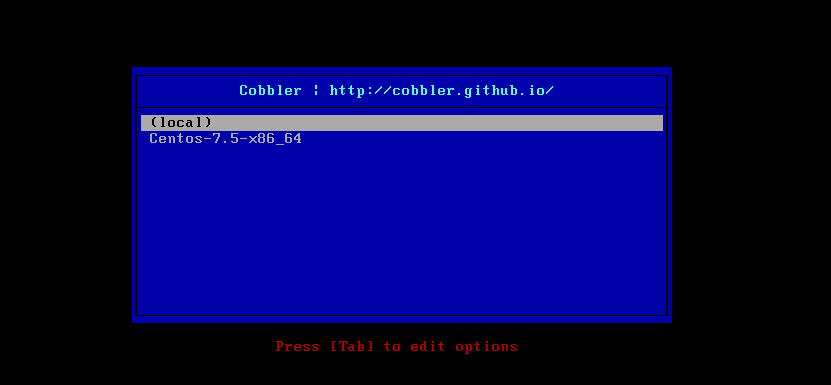
**
**
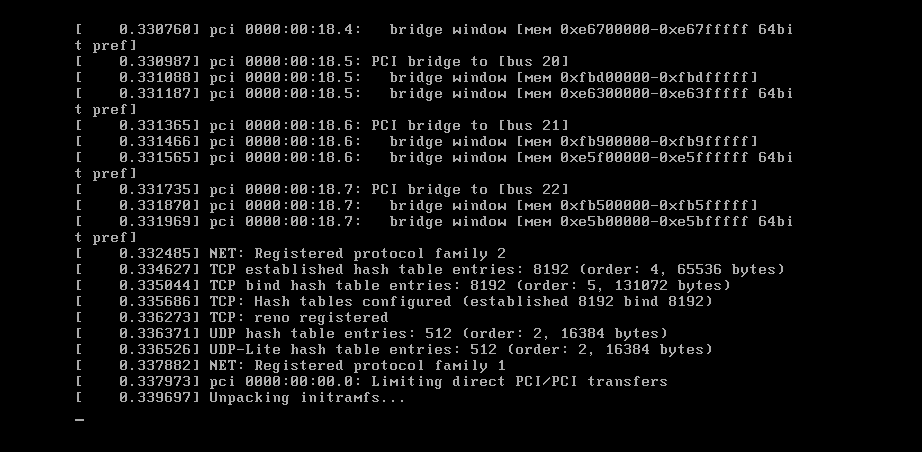
选择centos7.5进行安装,会按照kickstart文件安装并启动
**
**
实战:cobbler Web管理界面配置
web界面有很多功能,包括上传镜像、编辑kickstart、等等很多在命令行操作的都可以在web界面直接操作。
在上面已经安装了cobbler-web软件,访问地址:https://IP/cobbler_web 即可。默认账号为cobbler,密码也为cobbler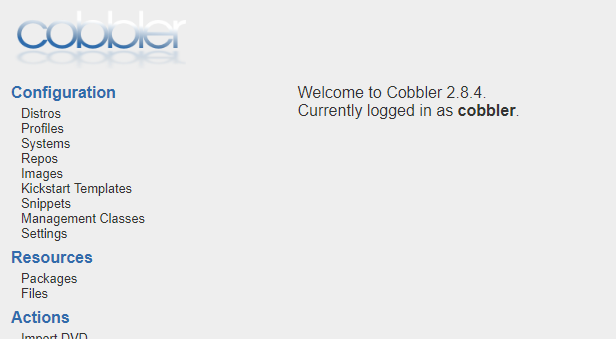
修改密码
/etc/cobbler/users.conf #Web服务授权配置文件
/etc/cobbler/users.digest #用于web访问的用户名密码
**
**
[root@cobbler ~]# cat /etc/cobbler/users.digest
cobbler:Cobbler:a2d6bae81669d707b72c0bd9806e01f3
**
**
# 设置密码,在Cobbler组添加cobbler用户,输入2遍密码确
[root@cobbler ~]# htdigest /etc/cobbler/users.digest “Cobbler” cobbler
Changing password for user cobbler in realm Cobbler
New password: superman
Re-type new password: superman
**
**
# 同步配置并重启httpd、cobbler
[root@cobbler ~]# cobbler sync
[root@cobbler ~]# systemctl restart httpd
[root@cobbler ~]# systemctl restart cobblerd
再次登录即使用新设置的密码登录即可
**
PS:Cobbler部署错误总结
一、web 报错500 Internal Server Error解决方案
在安装使用Cobbler web界面的时候提示HTTP 500错误,也就是服务器内部错误,检查防火墙和selinux都是为关闭状态,后面查看日志发现报错信息如下:
其实就是python django 的问题。
解决办法:
1、安装python2-pip
# yum -y install python2-pip
# pip install ipaddress
2、安装django
# pip install Django==1.8.9
3、重启httpd
# systemctl restart http
再次刷新页面访问http://IP/cobbler_web即可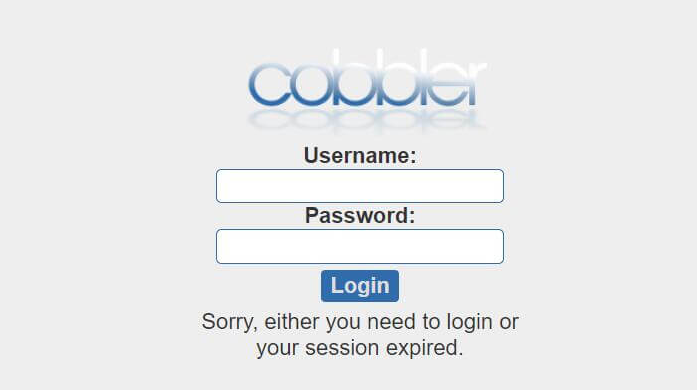
二、通过Cobbler 安装Linux系统报空间不足
错误信息:/sbin/dmsquash-live-root:line286:printf:write error:no space left on device
解决办法:内存不足,增加客户机内存最少为2G
参考:https://access.redhat.com/solutions/3353961
Issue
Provisioning a system via kickstart using Red Hat Satellite fails with the below error:
dracut-initqueue[552]: /sbin/dmsquash-live-root: line 273: printf: write error: No space left on device
Resolution
In the compute profile for the affected Compute Resource, increase the value of the memory to 2048 MB and then provision a system.
Root Cause
The memory defined for the system is not sufficient hence it is unable to process/download the live image.
Minimum of 2GB of memory should be allocated.
**
**
**
**

若有收获,就点个赞吧
0 人点赞


